> ## Documentation Index
> Fetch the complete documentation index at: https://docs.coderide.dev/llms.txt
> Use this file to discover all available pages before exploring further.

# PHP

> LSP and debugger setup for PHP in Coder.
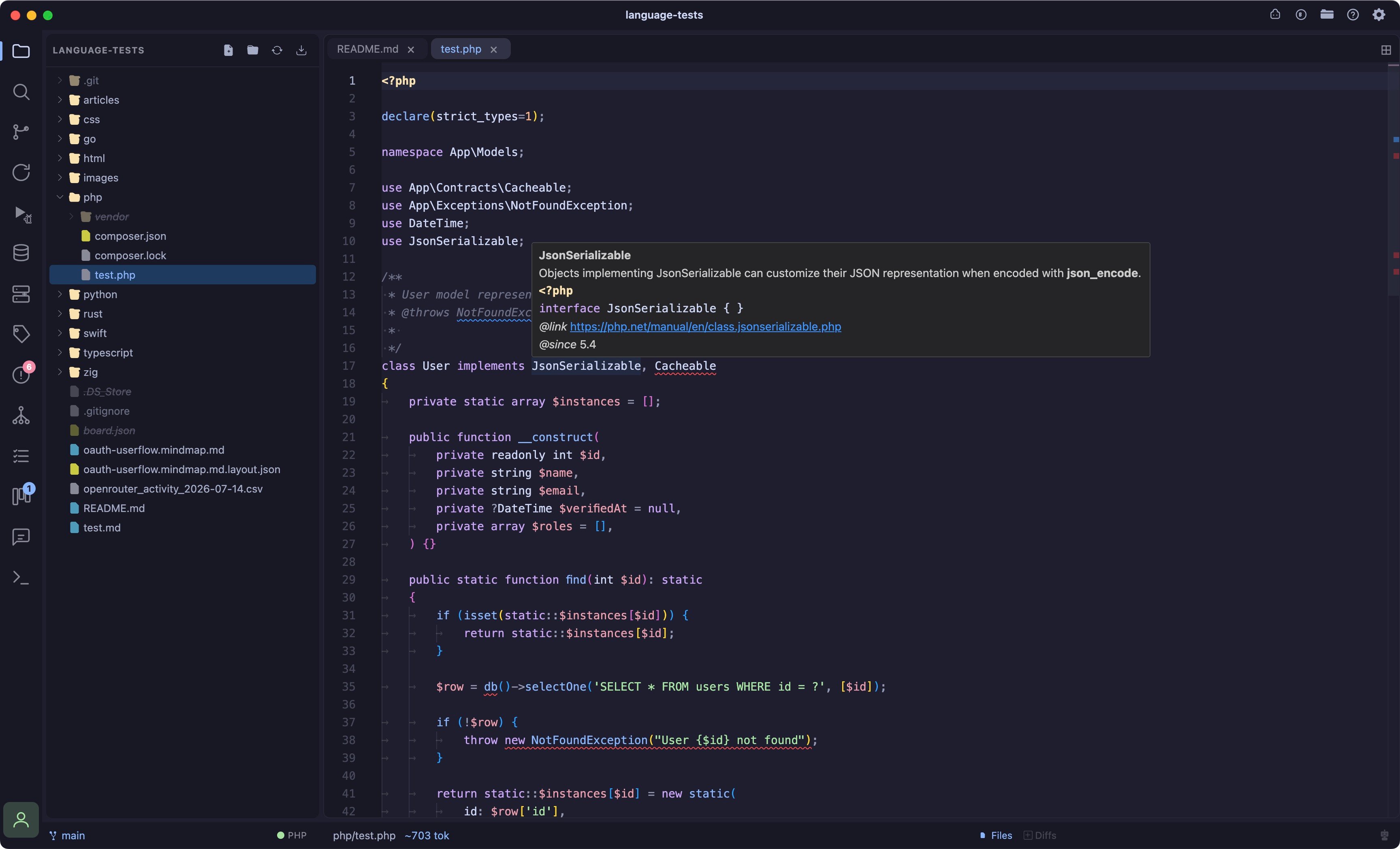
<img src="https://mintcdn.com/coder-ide/xGYxbscsCmJOCfrf/media/PHP.jpg?fit=max&auto=format&n=xGYxbscsCmJOCfrf&q=85&s=d37cd197d988e6ce9916e5604e5f165f" alt="PHP LSP" width="3456" height="2096" data-path="media/PHP.jpg" />

## Language server

| Server | Install |
| - | - |
| [intelephense](https://intelephense.com/) (preferred) | `npm install -g intelephense` |
| [phpactor](https://phpactor.readthedocs.io/) (fallback, used only if intelephense isn't found) | `composer global require phpactor/phpactor` |

`class="…"`/`id="…"` autocomplete and jump-to-definition in HTML/PHP templates resolve against linked stylesheets and inline `<style>` blocks, see [Language Intelligence](/lsp) for that feature generally.

### Performance

intelephense holds the full workspace symbol index in memory and can range from \~300MB to \~1GB depending on project size (a large `vendor/` tree is usually the bulk of it); the swing is its garbage collector reclaiming memory between analysis passes. This is intelephense's memory-for-speed tradeoff, not overhead from Coder itself.

If you need to bound it:

* **Exclude heavy directories** from indexing (e.g. `vendor/`), the biggest lever; you keep autocomplete for your own code and lose only deep navigation into library internals.
* **Use phpactor instead of intelephense**, lighter footprint, though weaker at cross-file variable resolution.

## Debugger

| Adapter | Install | Notes |
| - | - | - |
| [vscode-php-debug](https://github.com/xdebug/vscode-php-debug) (Xdebug) | Install the `xdebug.php-debug` VS Code/Cursor extension, plus the [Xdebug](https://xdebug.org/) PHP extension itself | Coder looks for the extension under `~/.vscode/extensions`, `~/.cursor/extensions`, and Cursor's macOS Application Support path. |

See [Debugger](/debugger) for the debugger UI itself.

## Tested on

macOS (Apple Silicon). Install paths above assume Homebrew/npm/Composer on macOS, Windows and Linux paths aren't documented yet.


This documentation is built and hosted on [Mintlify](https://mintlify.com), a developer documentation platform.